


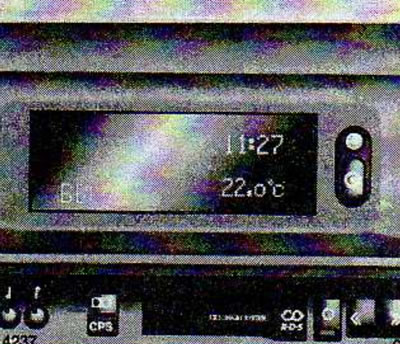
The display shows the time, ambient temperature and the frequency of the received radio station or the date.
After the ignition is turned on, the display shows the time and ambient temperature. After turning off the car radio, the date is displayed on the display.
When the headlights are turned on, the indicator backlight can be adjusted using the knob
 adjustments to the instrument panel lighting.
After the ignition is switched off, the time, date and ambient temperature can be displayed on the display for 15 seconds by briefly pressing one of the two buttons located next to the display.
Setting date and time
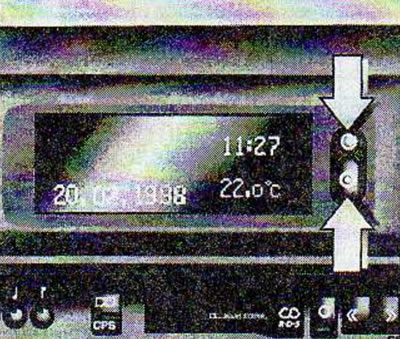
Turn off the car radio.
Press the buttons
 and
and  , located on the side of the display as follows:
Selecting the adjustment mode:
 : Press and hold for more than 2s. Day flashes.
 : setting the day.
 : blinking moon.
 : set the month.
 : year blinking.
 : set the year.
 : blinking clock.
 : setting the clock.
 : minutes blinking.
 : set minutes.
 : The clock starts counting time at 0 seconds.
If you only need to adjust the hours, press several times
 until then. until the hours/minutes start flashing.
Automatic time setting
Automatic time setting is only possible if there is a radio station transmitting an RDS signal.
Automatic tuning is performed after the car radio is switched on and RDS radio time signals are received. The time setting is indicated by the symbol
 on the display. If there are no time setting signals, set the time manually.
Deactivating and activating the automatic time setting function (for example, in the case of receiving inaccurate radio time signals from a transmitting station):
Click on the button
 and hold it down for more than 2 seconds, the time indication will be displayed in the setting mode.
Double click the button
 (before the year blinks).
Click on the button
 and hold it down for more than 3 seconds until it starts flashing
  and "RDS TIME" will be displayed (at this time the year indicator flashes).
Click on the button
 and select:
RDS TIME 0 - off.
RDS TIME 1 - on.
Press the button three times
 .
.
Ambient temperature
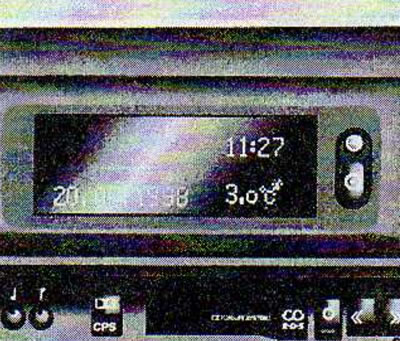
A decrease in temperature will be displayed immediately, while an increase in temperature will be displayed with a delay.
To warn the driver of the appearance of ice when the temperature drops below minus 3°C, the symbol will appear on the display
 .
.
If there is a fault, the display will show "--.-°C" and you will need to contact your Opel dealer to have the fault corrected.
After power off
If the power is disconnected or the voltage in the vehicle's on-board network decreases, after connecting or charging the battery, it is necessary to set the date and time.
Visitor comments