


Contents: Ignition switch (lock) ⬇ Steering column switches ⬇ Light switch ⬇ Push-button switches on the…⬇ Hazard warning switch ⬇ Horn switch ⬇ Brake light switch ⬇ Low Oil Pressure Warning Switch ⬇
Ignition switch (lock)
Disconnect the negative battery terminal.
Remove the steering column covers as shown in chapter 10.
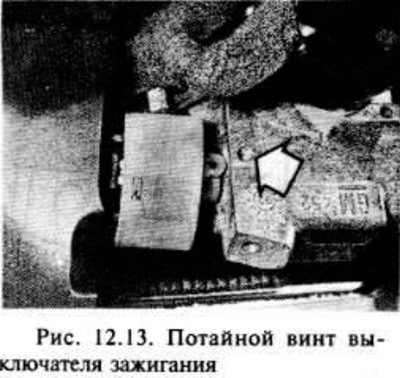
The ignition switch (lock) is secured to the casing with two countersunk screws.
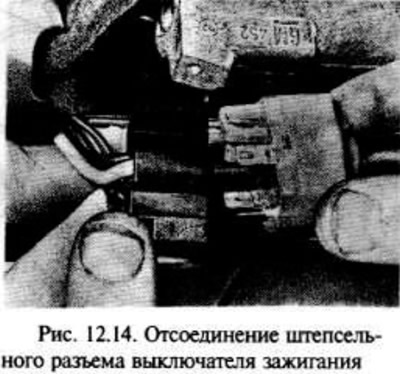
Disconnect the wiring and remove the screws to remove the switch. It is not recommended to remove the switch and the lock cylinder at the same time, as their relative positions may be disturbed (fig.12.13, 12.14).
Installation is carried out in the reverse order of removal.
Steering column switches
Perform the operations specified in the first and second points of this section.
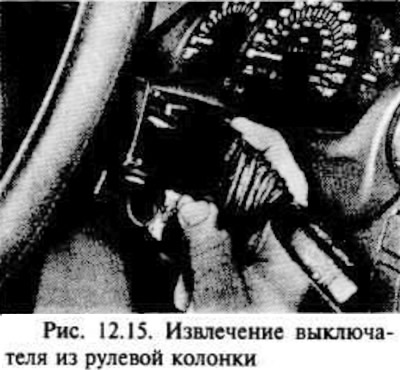
Squeeze the clamps and remove the switch from the steering column (fig. 12.15).
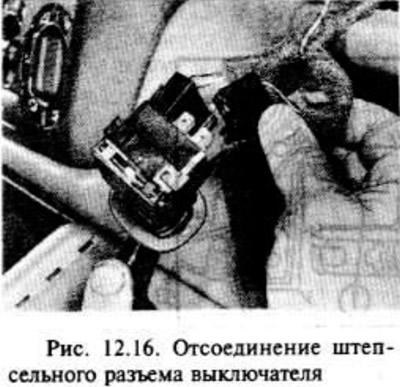
Disconnect the switch plug (fig. 12.16).
Installation is carried out in the reverse order of removal.
Light switch
Disconnect the negative battery terminal.
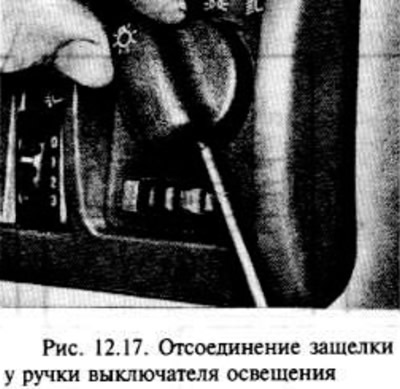
Insert a small screwdriver or pry bar into the hole at the bottom of the switch handle to compress the latch. Remove the handle from the switch (fig. 12.17).
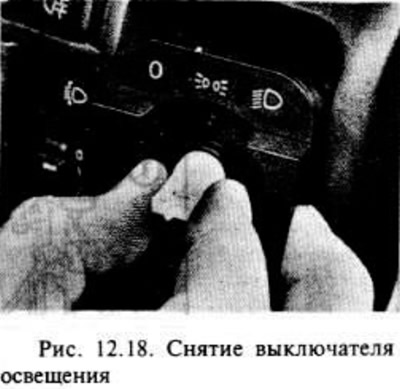
Press the switch clamps that are then released towards the switch rod, then remove it from the instrument panel and disconnect the plug connector (fig. 12.18).
The switch assembly cannot be disassembled, so if it fails, it is replaced completely.
Installation is carried out in the reverse order of removal.
Push-button switches on the instrument panel
Disconnect the negative battery terminal.
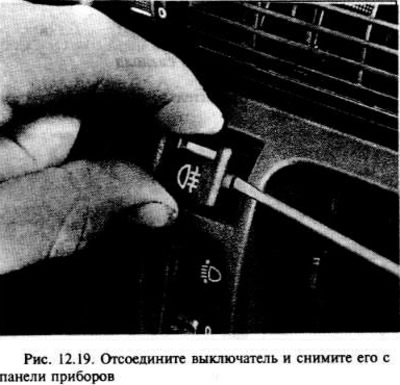
Using a screwdriver, carefully remove the switch, being careful not to damage the instrument panel (fig. 12.19).
Installation is carried out in the reverse order of removal.
Hazard warning switch
Disconnect the negative battery terminal.
Turn the switch to the "ON" position.
Using a screwdriver, carefully pry up on the switch button to release it.
Using a screwdriver, carefully remove the switch itself.
Installation is carried out in the reverse order of removal.
Horn switch
Carefully remove the steering wheel horn center button and disconnect the wire.
If desired, the horn switch contact assembly can be pulled out of the steering wheel center after the steering wheel has been removed as shown in chapter 10.
Brake light switch
Disconnect the negative battery terminal.
In the driver's footwell, release the clips and remove the lower trim.
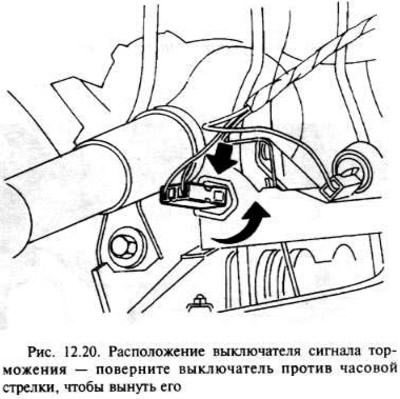
The switch is mounted on a bracket next to the steering column at the top of the brake pedal.
Disconnect the plug from the switch.
Turn the switch counterclockwise to remove it from the bracket (fig. 12.20).
Installation is the reverse of removal, but make sure that the brake lights should come on when the brake pedal is depressed approximately 15.0-20.0 mm. The switch can only be adjusted by gently bending the bracket, but this is not recommended.
Low Oil Pressure Warning Switch
The switch is mounted on the end of the oil pump on the side of the engine intake manifold.
Disconnect the negative battery terminal.
On most models the switch can be accessed from above, but on some models better access is achieved by jacking up the front of the car and supporting it securely with stands under the axle, then removing the right-hand drive wheel. On twin-cam models, remove the hatch that provides access from the lower engine splash guard.
Disconnect the wire from the switch.
Place a suitable container under the switch to collect any oil that will leak out when the switch is removed.
Use a suitable wrench to loosen the switch. There may be an oil leak, so close the hole in the oil pump.
Installation is carried out in the reverse order of removal, however, after completing the check, top up the engine oil level.
Visitor comments