


Contents: Warning lamps and instrument panel…⬇ Voltage stabilizer ⬇ Temperature and fuel gauges - models…⬇ Speedometer ⬇ PCB ⬇
After removing the instrument panel, as indicated in the previous section, the procedure is as follows.
Warning lamps and instrument panel lighting
Turn the appropriate bulb socket counterclockwise and remove it from the circuit board on the back of the instrument cluster (fig. 12.24).
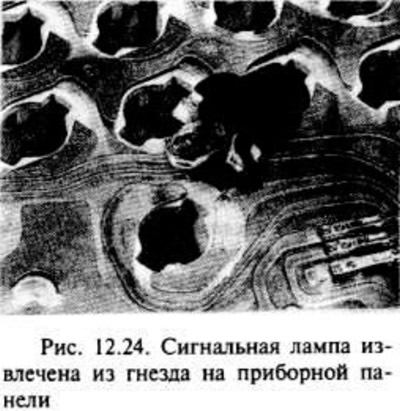
The lamps are mounted in a single unit with a socket and are replaced as one part.
Installation is carried out in the reverse order of removal.
Voltage stabilizer
Remove the screw from the back of the instrument panel, then remove the voltage regulator by disconnecting the contacts on the circuit board (fig. 12.25).
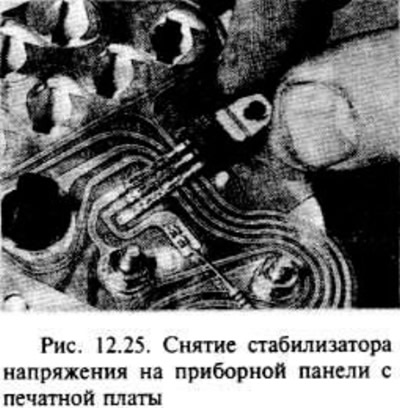
Installation is carried out in the reverse order of removal; try not to damage the contacts of the voltage stabilizer with the printed circuit board.
Temperature and fuel gauges - models without tachometer
Remove the odometer alignment pin (trip meter) from the front of the instrument panel.
Release the two clips at the top of the panel and remove the panel cover (fig. 12.26).
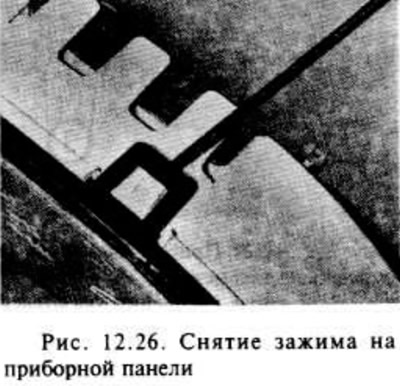
Remove the two screws and remove the corresponding device through the front side of the instrument panel.
Installation is carried out in the reverse order of removal.
Speedometer
With the odometer removed and the clips free at the top of the instrument panel, remove the four screws from the back of the panel and remove the speedometer from the front of the panel.
Installation is carried out in the reverse order of removal.
PCB
Remove all bulbs and fixtures and the voltage regulator as described above in this section.
Carefully remove the printed circuit board from the instrument panel.
Installation is the reverse of removal, but care must be taken to ensure that the printed circuit board is correctly positioned on the rear of the instrument panel.
Visitor comments