


Examination
Disconnect the connector from the brake light switch and connect both contacts in the connector with a short piece of wire.
Turn on the ignition. If the brake lights do not light, replace the switch.
Removal
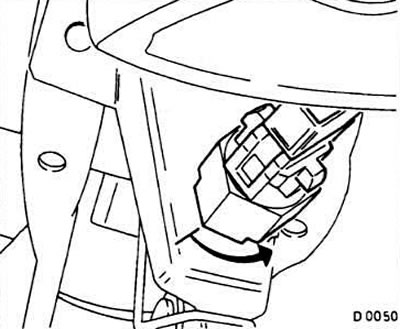
Turn the switch counterclockwise and remove it from the pedal support.
Installation
Insert the switch into the pedal support, press and rotate to the right until it clicks into place.
Original source is on the website: www.OpelBook.ru
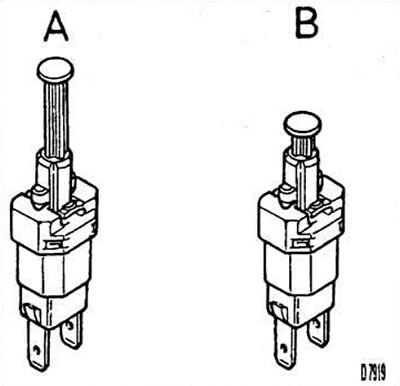
Press the brake pedal and pull out the switch rod (pos.A in fig.D7919). Release the pedal. The rod is installed automatically.
Connect the connector to the switch.
Check the operation of the switch when the brake pedal is pressed. If the brake lights are constantly on, adjust the switch rod.
Visitor comments