


1. Remove the generator from the vehicle (see Removal and installation the generator).
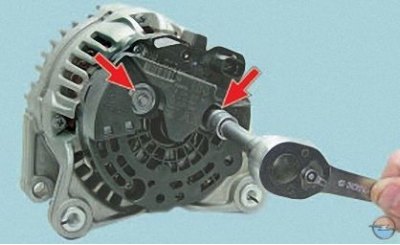
2. Unscrew the two nuts of the generator power terminals…
Note: The power terminal nuts also secure the protective cover.
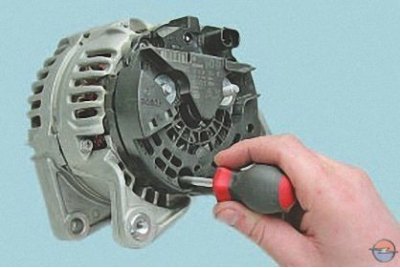
3. …unscrew the screw securing the protective cover…
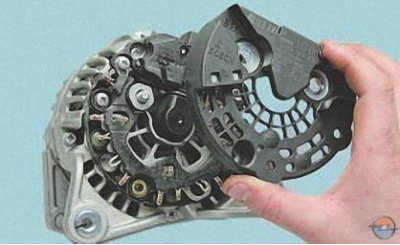
4. …and remove the casing.
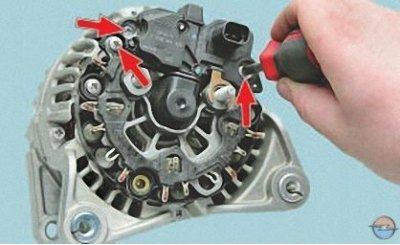
5. Remove the three screws securing the voltage regulator with the brush assembly…
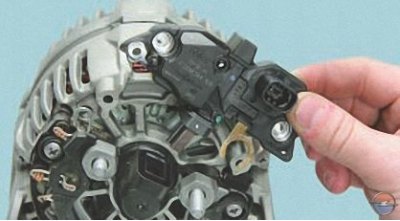
6. …and remove the voltage regulator with the brush assembly.
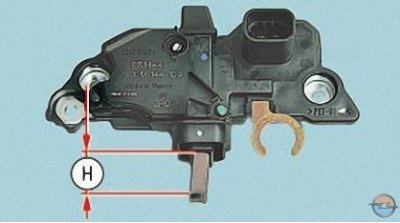
This is what the voltage regulator with the brush assembly looks like, removed from the generator.
Check the protrusion of the brushes in a free state. If the size H is less than 2 mm, replace the brushes or the brush assembly. Check the ease of movement of the brushes in the brush holder. If they jam, the brush assembly must also be replaced.
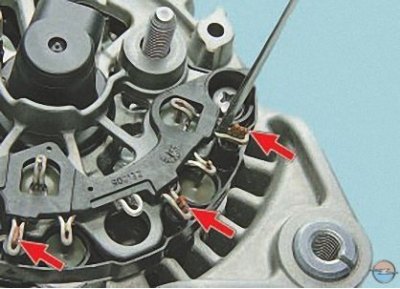
7. Use a screwdriver to loosen the crimped terminals of the rectifier unit until the ends of the six stator winding terminals are completely free.
The photograph shows three terminals of the stator windings. The other three terminals are located symmetrically on the rectifier unit.
Each stator winding terminal consists of three wires.
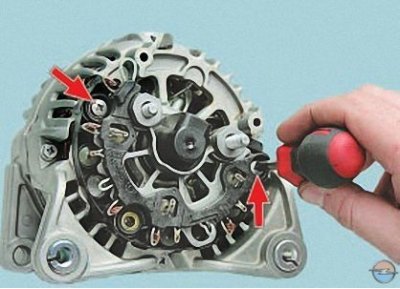
8. Remove the two screws securing the rectifier unit…
Note: The third screw securing the rectifier unit, which also secures the protective cover, was loosened when the cover was removed.
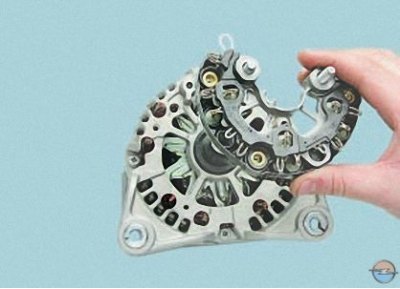
9. …and remove the rectifier block.
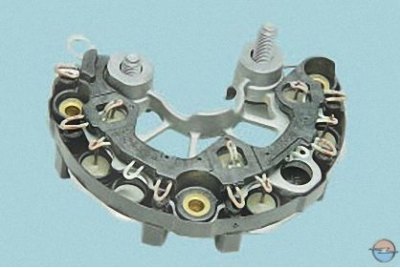
This is what the removed rectifier block looks like from the side of the protective casing..
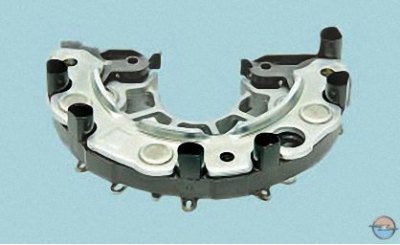
…and so – from the stator side.
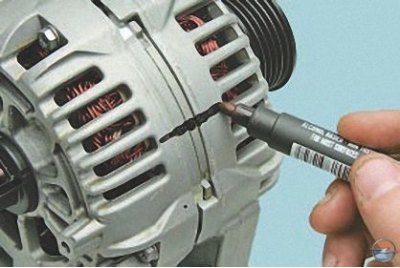
10. Mark the relative positions of the stator and generator covers.
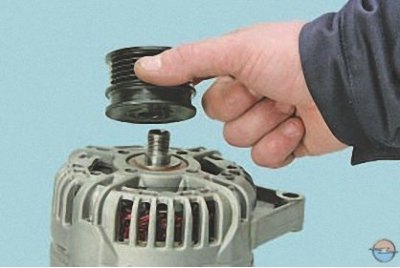
11. Remove the generator pulley from the rotor shaft (see Replacing the generator pulley).
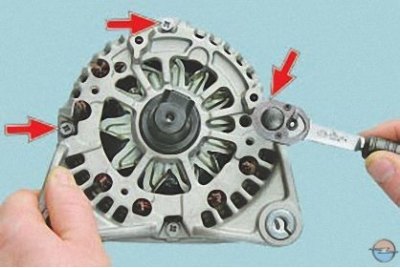
12. Remove the four tie bolts…
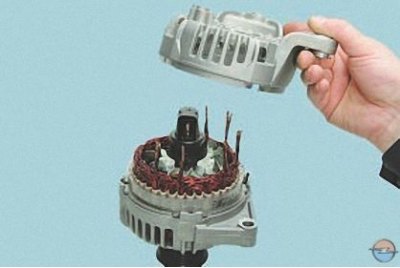
13. …and remove the cover from the slip ring side of the rotor shaft rear bearing centering sleeve.
14. Inspect the cover from the contact ring side. If cracks in the cover are found, especially in the places where the generator is attached, the cover must be replaced with a new one.
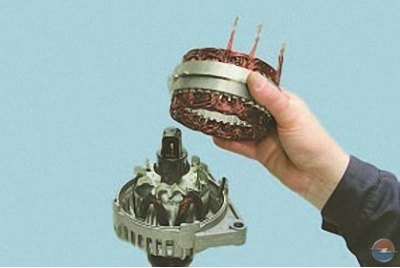
15. Carefully pry the stator with a screwdriver and separate the stator and cover from the drive side.
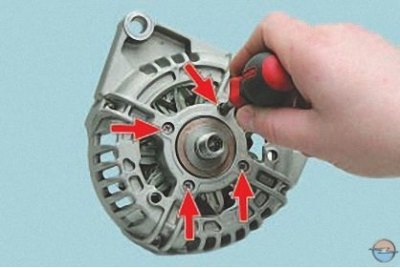
16. Remove the four screws of the rotor shaft front bearing pressure plate.
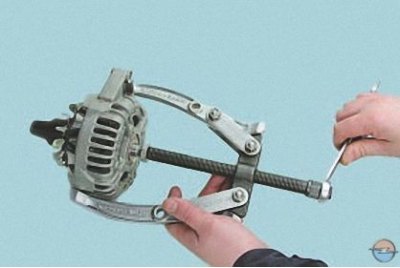
17. Press the drive side cover off the front rotor shaft bearing…
Note: To avoid damaging the rotor shaft threaded end with the puller screw, screw the pulley mounting nut onto it flush with the end of the shaft.
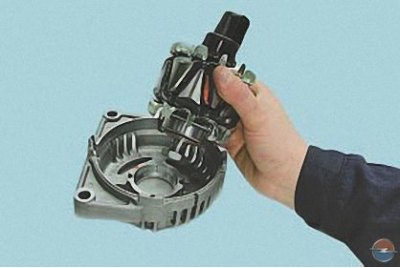
18. …and separate the rotor and the cover.
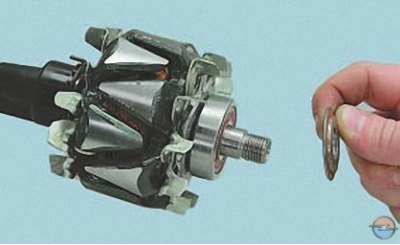
19. Remove the spacer washer from the front end of the rotor shaft…
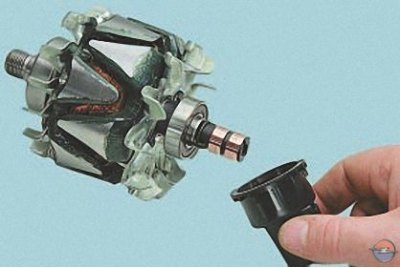
20. …and from the rear bearing of the rotor shaft, a centering sleeve.
21. Inspect the plastic centering sleeve of the rear bearing of the rotor shaft. The centering sleeve should be tightly installed in the hole of the cover. If the bearing is correctly seated in the sleeve, there should be no traces of the outer ring of the bearing slipping on it.
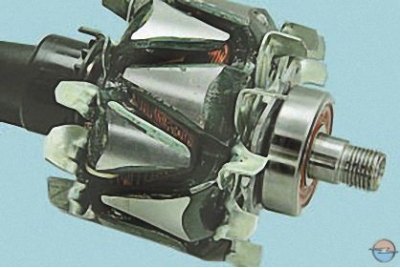
22. Inspect the front bearing of the rotor shaft. If, when rotating the bearing, you feel play between the rings, rolling or jamming of the rolling elements, damaged protective rings or grease leaks, replace the bearing. To replace the bearing, press it off the rotor shaft with a universal puller. Press the new bearing onto the shaft, applying force only to its inner ring.
Caution! When pressing the bearing with force applied to its outer ring, the bearing will be damaged.
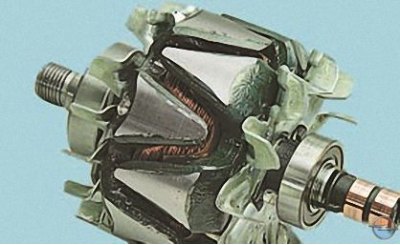
23. Inspect the rear bearing of the rotor shaft. If, when rotating the bearing, you feel play between the rings, rolling or jamming of the rolling elements, damaged protective rings or grease leaks, replace the rotor, since the non-removable block of contact rings does not allow the bearing to be pressed off the rotor shaft.
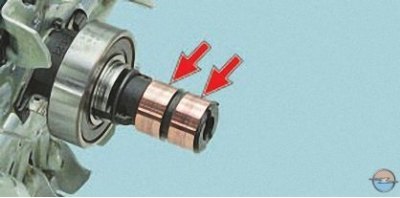
24. Inspect the contact rings. If they have burrs, scratches, marks, wear marks from brushes and other damage, the rings must be ground. If the damage to the rings cannot be removed with sandpaper, you can turn the rings on a lathe, removing a minimum layer of metal, and then grind them.
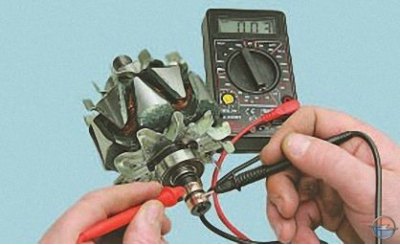
25. Check the rotor winding resistance with a tester by connecting it to the contact rings. The resistance should be approximately 3–5 ohms. If the tester shows infinity, then there is a break in the rotor winding – the rotor must be replaced.
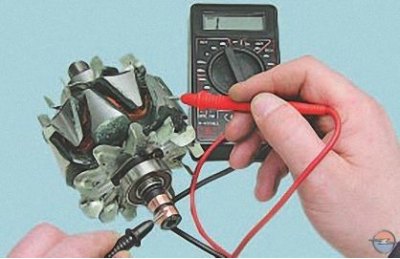
26. Check for a short circuit between the rotor winding and the housing by connecting the tester leads to any slip ring and the rotor housing. The tester should show infinity.
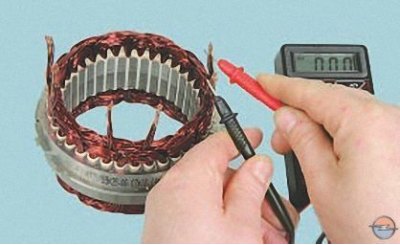
27. Check the stator winding for breakage by measuring the resistance between all winding terminals one by one with a tester. If the measured resistance tends to infinity, the stator must be replaced.
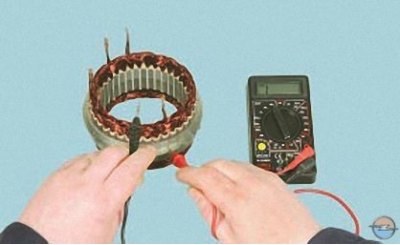
28. Connect the tester probes to the stator housing and to each winding terminal in turn. The measured resistance should be very high (strive for infinity). Otherwise, replace the stator.
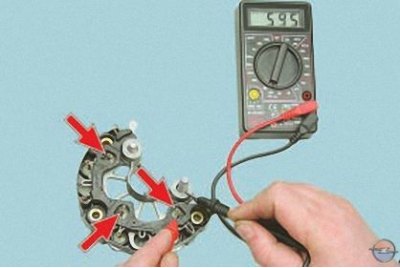
29. Check the "positive" diodes by connecting the "negative" (black) probe of the tester to the "plus" terminal of the generator, and connecting the "positive" (red) probe to the three contact terminals of the diodes one by one. If the diodes are in good condition, the tester will show 500–700 Ohms.
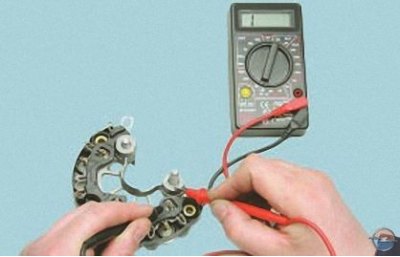
30. Connect the "positive" (red) probe of the tester to the "plus" terminal of the generator, and connect the "negative" (black) probe alternately to the same three contact terminals of the diodes. If the diodes are in good condition, the tester will show infinite resistance.
31. Similarly, check the "minus" diodes, connecting the tester probes in the same sequence as when checking the "positive" diodes.
32. If the tester shows low or close to zero resistance, the diode is "broken"; if the tester reading tends to infinity regardless of the color of the connected probes, the diode is "open". In both cases, the rectifier unit must be replaced.
33. Assemble the generator in the reverse order of disassembly, orienting the generator covers and stator according to the marks made earlier.
Attention! The terminals of the rectifier unit were loosened during disassembly (see point 7 above in this subsection) after installing the stator winding terminals in them, crimp them with pliers or wire cutters until the terminal wires stop moving in the terminals.
Visitor comments