


Contents: Three-function information display ⬇ Multifunctional display with the…⬇ Graphic multi-information display ⬇ Outdoor temperature indication ⬇ Setting date and time ⬇ Control system ⬇ Displaying trip computer readings on…⬇ Resetting the trip computer ⬇
Three-function information display
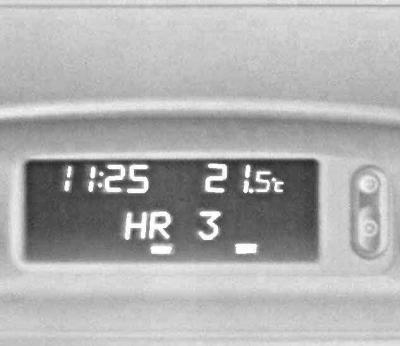
When the ignition is on, the display screen shows the time of day and outside air temperature, as well as the date/operating parameters of the car radio (see illustration Location of controls on the car dashboard). The brightness of the screen is adjusted using the same potentiometer that adjusts the intensity of the instrument lighting (see above). When the ignition is off, the current information (time, date, outside temperature) can be displayed on the display screen for 15 seconds by briefly pressing one of the two control buttons located to the right of the screen (see ibid).
Multi-information display
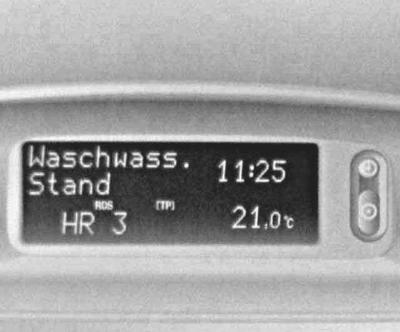
The display allows you to display the time, outside temperature, date/radio operating parameters, and on-board processor data on its screen. When the ignition is switched on, the display screen backlight is activated, the intensity of which is regulated by the same potentiometer as the intensity of the instrument backlight. The current time and on-board processor data are displayed continuously, the date is displayed only when the radio is switched off. As in the case of the three-function display, when the ignition is switched off, operating information can be briefly displayed on the screen using one of the two control buttons. All other features characteristic of the three-function display also remain in force.
Multifunctional display with the option of displaying operating parameters of the radiotelephone
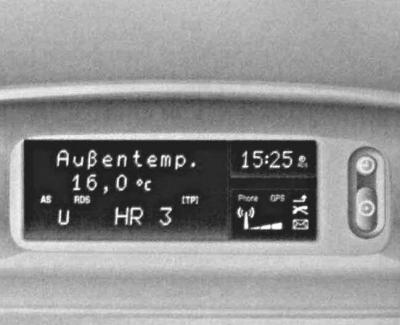
The standard display characteristics are fully consistent with those listed above for a conventional multifunctional display (see previous paragraph). Additionally, in the lower right corner of the screen, a field is allocated for displaying the operating parameters of the radiotelephone connected to the on-board network.
Controlling the display of messages from the on-board processor on the multi-function information display screen
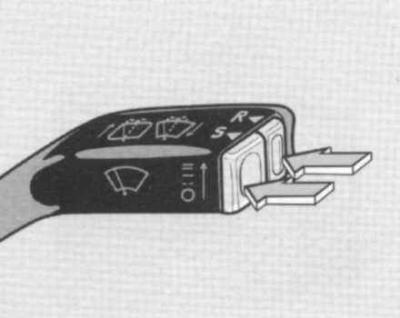
The output of messages from the on-board processor is controlled by means of the S and R push-button switches mounted on the end of the handle of the right steering column switch lever, or (with appropriate equipment) on the front panel of the infotainment center. When warnings from the control system are displayed on the display screen, the indication of other values is blocked.
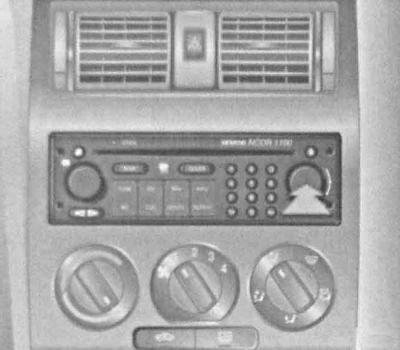
You must confirm the receipt of the failure signals by pressing the S and R buttons on the right steering column stalk, or by moving through the menu items by turning the rotary knob on the infotainment control panel (the processor is called by pressing the BC button).
When messages about several failures are received at once, their acceptance is confirmed sequentially. After the acceptance of messages about detected faults is confirmed, the corresponding warnings are removed from the display screen, which is again freed up to display information coming from the on-board processor, while the inscription "CHECK" may be displayed on the right side of the screen, warning about the need to search for and eliminate the causes of the failures.
Graphic multi-information display
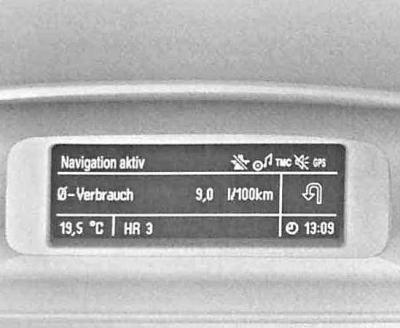
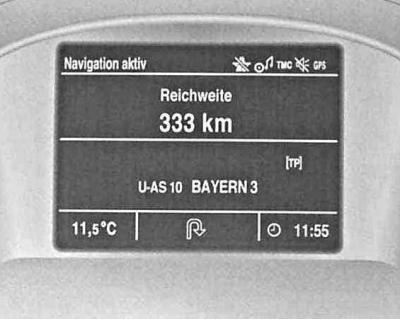
The display is designed to display the current time, date, outside air temperature, as well as information from the control system, on-board processor and infotainment center. The display can be narrow-screen or full-screen with monochrome or color data output.
Entering the system settings of the graphical multi-information display
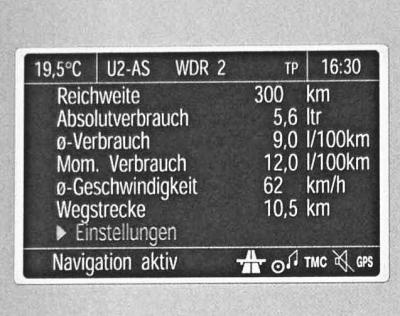
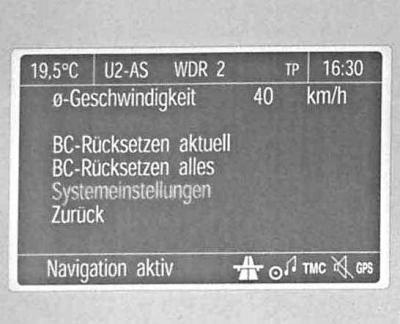
To enter the system settings of the multifunctional information display, select the item System Settings/System settings in the on-board processor settings menu Settings/Settings.
Select language
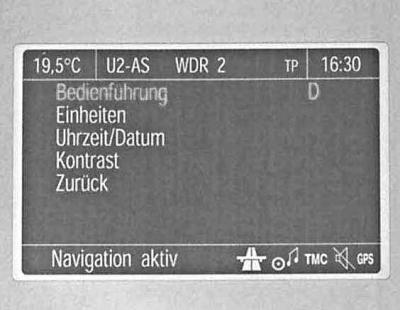
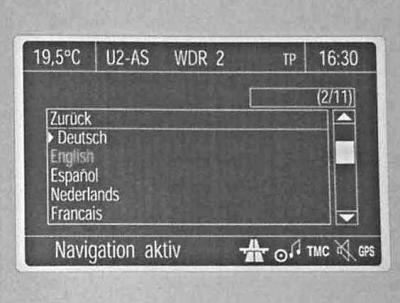
To select the language for displaying messages, go to the Instructions/ Bedienführung section of the system settings menu (top) - a list of implemented communication languages will be displayed on the screen (bottom), from which you should select the required one.
You can access the higher level menu via the Undo/Zurück (return) item.
Selecting a system of units of measurement
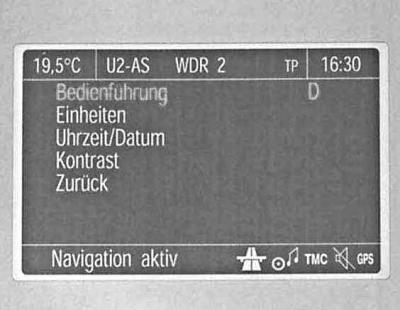
To select the desired system of units of measurement, go to the Units/ Units item in the system settings menu. A list of suggested units of measurement will appear on the screen.
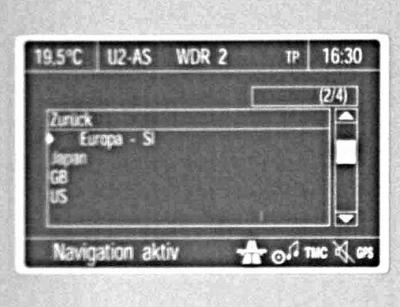
The selected menu item is marked with a symbol
 . For a description of the procedure for exiting a menu section to a higher level, see the previous paragraph.
Setting image contrast
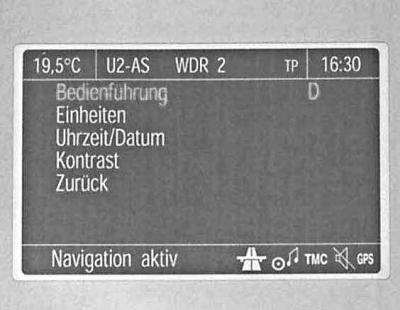
To adjust the contrast of the image displayed on the screen, go to the Contrast/ Kontrast item in the system settings menu and make the required adjustment. Exit from the adjustment is done via the Undo/ Zurück item.
Outdoor temperature indication
The thermometer reacts to a drop in air temperature immediately, and to an increase - with some delay. Be careful: when the thermometer shows several degrees above zero, there may already be ice on the road.
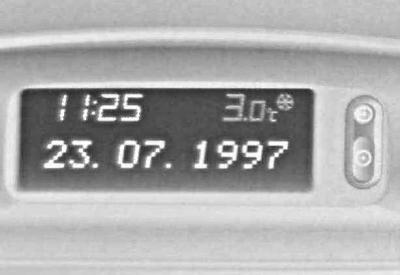
To warn of the risk of icy roads when the outside temperature drops to around 3°C, a snowflake-shaped pictogram appears in the temperature display field on the display screen
 .
.
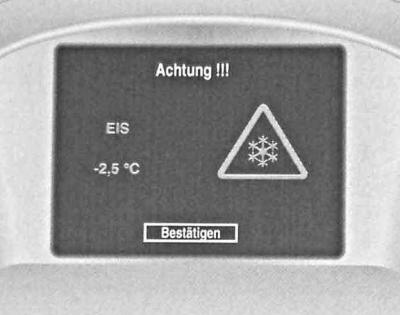
On models equipped with a graphic multi-information display, the latter's screen additionally (in addition to the warning symbol) a text message is also displayed EIS/ICE.
A system failure signal is the display of the message on the screen "—.-°C", - take the car to the manufacturer's authorized service station.
Setting date and time
Models with three-function and multi-function information display
Manual installation
1. Turn on the radio receiver. The setting is made using two buttons
 and
and  , located to the right of the display:
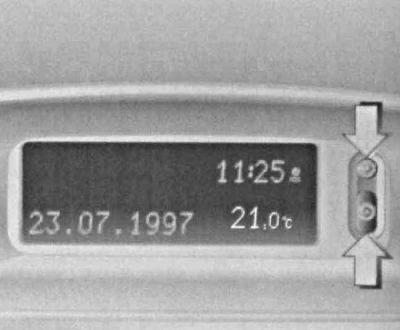
2. Hold down the button for about 2 seconds
 , — the day of the week display should start blinking;
3. Using the button
set the day of the week;
4. Using the button
 go to setting the month display;
5. Button
 adjust the reading;
6.
 go to setting the year display;
7.
 adjust the reading;
8.
 go to setting the clock display;
9.
 adjust the reading;
10.
 go to setting the minutes display;
11.
 adjust the reading;
12.
 start the clock (with zeroing of the second countdown).
Automatic installation
On models equipped with the infotainment system, the current time and date can be set automatically when a signal from the Global Positioning System (GPS) satellite is received. If the displayed time does not correspond to the local time, the corresponding adjustment can be made manually in 30-minute increments, or will be made automatically when the radio receives a Radio Data System (RDS) signal.
To enter the automatic time setting mode using the RDS signal, proceed as follows:
1. Hold down the button for about 2 seconds
 , - the watch should go into the setting mode.
2. Double-click the button
 , - the year display should start blinking;
3. Hold the button
 pressed for about 3 seconds until the symb-102-3 icon flashes on the display screen and the inscription "RDS TIME" appears (the year display should continue to flash);
4. By pressing the button
 turn on or off the automatic time setting mode: RDS TIME 0 = off; RDS TIME 1 = on;
5. To exit the setup mode, press the button three times
 .
.
Models with graphic multi-information display
1. Go to the system settings menu of the bot processor (see above. Electronically controlled engine cooling system warning light) and select Time/Date in it (Uhrzeit/Datum).
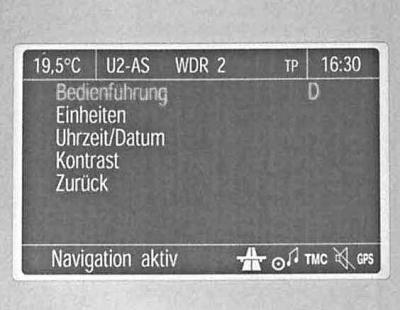
2. Once in the date/time setting section, select the required item and make the necessary adjustments (confirmation of the selection is made through the item OK).
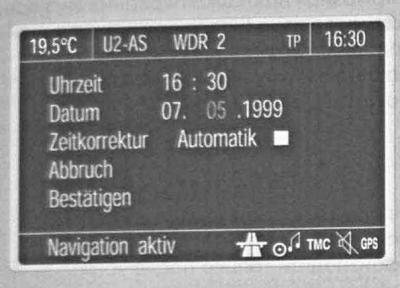
3. To enable the automatic time/date setting mode RDS, enter the subsection Auto. Time Correction and mark the box immediately following the item of the same name.
Control system
The control system monitors the main operating parameters that determine the safety of the vehicle. These parameters include the levels of working fluids, the thickness of the friction linings of the brake pads of the front wheels, the condition of the lamps of the main external lighting devices, the condition of the on-board electrical wiring and fuses protecting the electrical circuits.
The condition of the lamps of lighting devices is monitored only when power is supplied to the corresponding electrical circuit.
When the ignition is turned on, automatic diagnostics of all functions of the control system is performed, and the display screen shows the inscription CHECK. If no violations are detected during the check, the message goes out approximately four seconds after the foot brake pedal is depressed once.
If a malfunction is detected, in addition to the inscription, the display screen will show CHECK a corresponding warning is displayed. If several violations are recorded, the warnings are displayed on the display screen one by one.
Abbreviations may be used to display individual messages. The procedure for confirming receipt of warnings from the control system about faults detected during diagnostics is described above (see item Controlling the display of on-board processor messages on the multi-function information display screen). After receiving confirmation, the messages are automatically deleted from the display screen; only the CHECK message continues to appear, reminding you that violations have been detected.
Messages about the failure of the low beam/tail lights, brake lights and brake light fuse will be displayed on the screen again 15 minutes after the system receives confirmation of their reception. After switching the ignition off and on again, the messages stored in the processor memory will be displayed on the information display screen again. After the faults have been corrected, the records about them are automatically deleted from the memory.
When displayed on the screen, control system messages have the highest priority over other information.
Power outages
In the event of a power failure/significant reduction in the output voltage of the battery, the messages about previously detected faults recorded in the processor memory are erased. After the power supply is restored, the monitoring system automatically checks all operating functions and displays a message about all detected faults on the information display screen. For a description of the procedures for restoring the current time and date, see above. Setting date and time, the trip computer activation scheme is presented below.
Examples of control system messages
Brake light/ Bremslicht (brake lights)
A malfunction of the brake lights was detected.
Oil Level/ Motoröl Stand (engine oil level)
At the moment the ignition was switched on, the system detected an excessively low engine oil level. Check the oil level and make the appropriate adjustment if necessary (see Chapter Routine maintenance).
Oil Lack/ Ölmangel (lack of oil)
The oil level has dropped to a critical value. Immediately stop the engine, check the engine oil level, make the necessary adjustments (see Chapter Routine maintenance). Take the vehicle to the manufacturer's authorized service station for a more detailed inspection and to eliminate the causes of oil loss.
Coolant Level/ Kühlmittel Stand (coolant level)
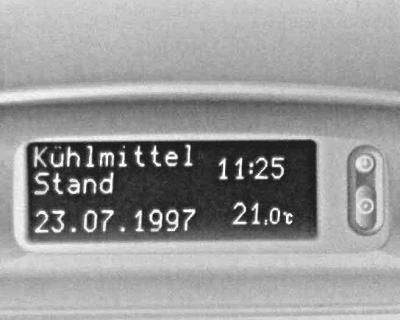
An excessively low coolant level has been detected in the expansion tank of the cooling system. Stop the engine, check the fluid level, and make the necessary adjustments (see Chapter Routine maintenance), if necessary, take the vehicle to the manufacturer's authorized service station to eliminate the causes of the leaks.
Brake pad/ Bremsbelag (brake pads)
The friction linings of the brake shoes of the front wheels are worn to the minimum permissible value. Replace the shoes immediately (see Chapter Brake system).
Brake Lamp Fuse/ Bremslicht Sicherung (brake light fuse)
Signs of failure of the corresponding fuse have been detected. Determine and eliminate the cause of the overload, then replace the fuse (see Chapter On-board electrical equipment).
Headlight/ Abbelendlicht, Taillight/ Rücklicht (low beam headlights, rear side lights)
The low beam headlights or taillights are out of order. Check the corresponding lighting devices, replace the failed lamps.
Wash Fluid Level/ Waschwasser Stand (windshield washer fluid level)
A critical drop in the fluid level in the windshield washer reservoir has been recorded. Add the required amount of fresh fluid (see Chapter Routine maintenance).
Displaying trip computer readings on the multifunctional information display
During the journey, the trip computer informs the driver of the current operating characteristics, which it continuously records and processes accordingly.
When you press the control button, the following information can be displayed on the display screen:
1. Current fuel consumption;
2. Average fuel consumption;
3. Absolute fuel consumption since the start of measurements;
4. Average speed of movement;
5. Mileage;
6. Estimated range before refueling;
7. Stopwatch readings;
8. Outside air temperature.
The output of some characteristics and indicators is carried out using abbreviations. The output of messages on the display screen is carried out in order of their priority. The output of the trip computer readings is controlled by buttons mounted on the end of the handle of the right steering column switch, while the button S serves to select the operating mode of the computer, the button R — to exit the mode.
Current fuel consumption
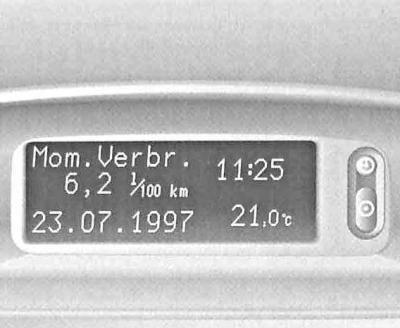
Depending on the vehicle speed, the current fuel consumption is displayed on the screen in the following units of measurement:
1. l/h - For driving speeds below 13 km/h;
2. l/100 km - For driving speeds over 13 km/h.
Average fuel consumption
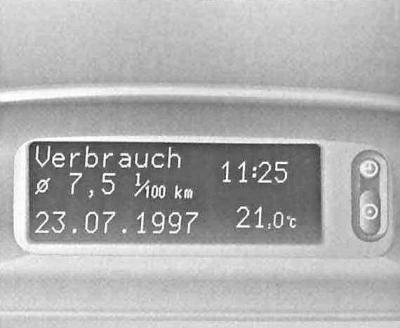
The calculation of average fuel consumption can be restarted at any time by the operator.
Absolute fuel consumption
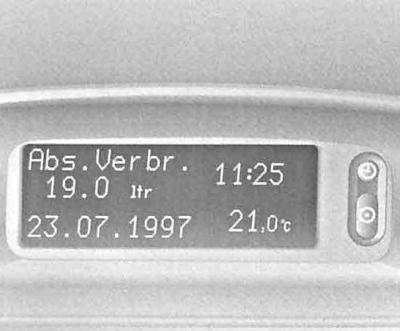
The measurement of absolute fuel consumption can be restarted at any time by the operator by pressing the button R.
Average speed of movement
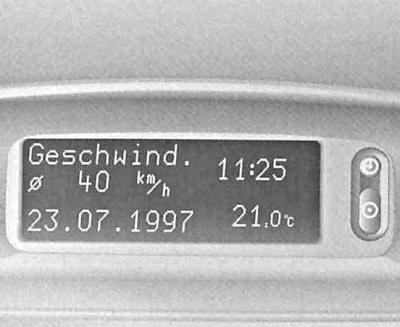
The average speed countdown can be restarted at any time by the operator using the button R, - for example, at the beginning of each trip.
Stops along the way with the ignition turned off are not taken into account.
Mileage
The display screen shows the mileage traveled by the vehicle. The countdown can be restarted at any time at the operator's discretion.
Power reserve until next refueling
If the power reserve is over 50 km, its value is calculated based on information about the remaining amount of fuel in the tank and data on the average consumption over the last 20-30 kilometers. After refueling, a new reading is displayed on the display screen or by pressing the button R, or is set automatically after the vehicle starts moving and has traveled a short distance.
When the fuel reserve in the tank is less than 50 km, the computer switches to the "Estimated range before refueling" mode without pressing the button S. The indicator may start flashing, or a message may appear on the screen Range. This warning mode of computer operation can be forcibly disabled by selecting another one instead. Automatic return to the "Calculated power reserve before refueling" mode occurs after a stop on the road.
On models equipped with the X20DTL diesel engine, the coolant is heated to speed up the engine's warming up to normal operating temperature. The trip computer does not take into account the additional fuel consumption associated with this option, which may lead to a slight overestimation of the estimated range before the next refueling.
Stopwatch
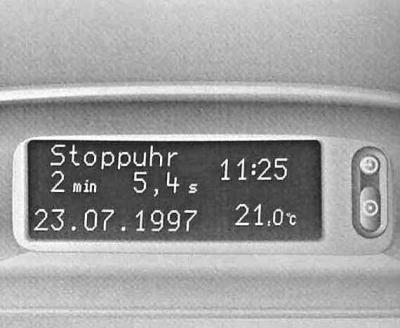
The functions "Reset readings" - "Start" - "Stop" - "Reset readings" are activated by pressing the button R. The stopwatch is designed to keep track of the time spent on the road, and turning off the ignition causes the stopwatch to stop. When the ignition is turned on, the countdown resumes. A new countdown can be started at any time at the operator's discretion.
Outside air temperature
See item Outside air temperature indication.
Resetting the trip computer
Multi-information display
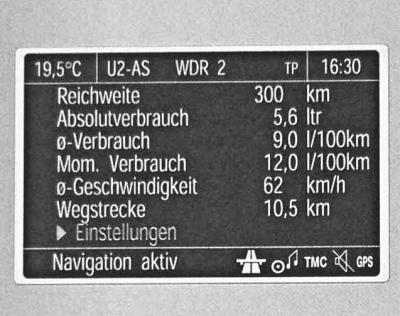
It is possible to simultaneously reset the following trip computer parameters by holding down the button R pressed for at least 2 seconds:
a. Absolute fuel consumption;
b. Average fuel consumption;
c. Average speed of movement;
d. Mileage;
e. Stopwatch readings.
Graphic multi-information display
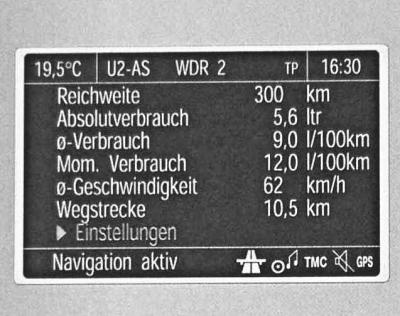
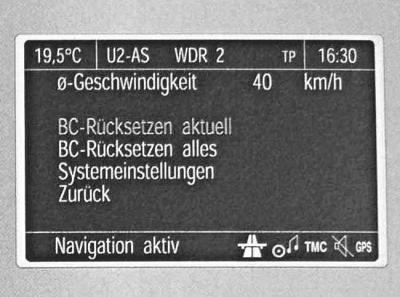
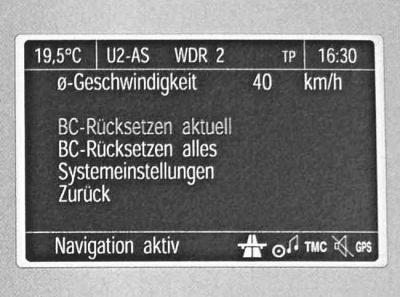
Enter the on-board processor settings menu and select the item BC Reset Present/ BC Rücksetzen aktuell — the value of the selected function is reset and then recalculated.
The value of the power reserve until the next refueling can only be reset when the vehicle is stationary. After the reset is complete, the line "_ _ _" will appear on the display instead of the selected readings, then after a while the newly calculated value will appear. To reset all readings, select the menu item BC Reset All/ BC Rücksetzen alles (see ibid) — the line "---" will appear on the screen, then a new countdown will begin.
Visitor comments