


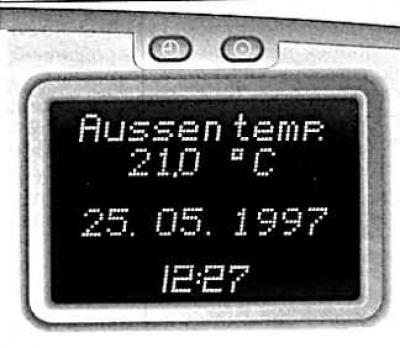
The on-board computer from the company Oracle provides information about the driving parameters, which it constantly records and electronically analyzes.
By pressing the key, the following functions are displayed on the display:
- Momentanverbrauch (current fuel consumption);
- Durchschmttsverbrauch (average fuel consumption);
- Absolutverbrauch (total fuel consumption);
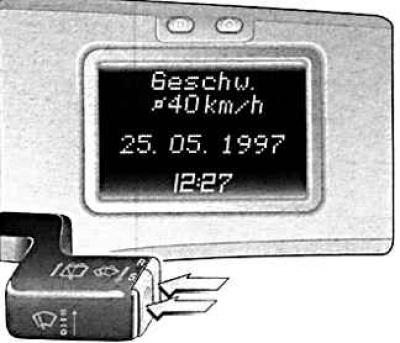
- Durchschnittsgeschwindigkeit (average speed of movement);
- Wegstrecke (path traveled);
- Reichweite (range before refueling);
- Stoppuhr (stopwatch);
- AuBentemperatur (outside temperature).
Some functions are shown on the display as abbreviations.
Check-Control function messages always take precedence.
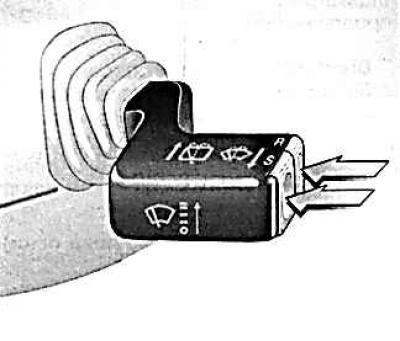
The on-board computer is controlled by two buttons on the windshield wiper switch lever.
S key – select function.
Press until the desired function is displayed.
R key – reset.
When displaying functions
- average fuel consumption;
- total fuel consumption;
- average speed of movement;
- path traveled
they are launched simultaneously by pressing the R key (not less than 2 sec.).
Previously recorded data will be automatically erased, and the stopwatch will be reset to zero. The power reserve will be recalculated.
Current fuel consumption and outside temperature cannot be reset.
Current fuel consumption
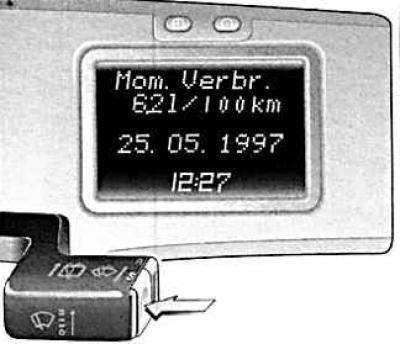
The indication changes depending on the speed of movement.
Indication in l/h below 13 km/h.
Indication in l/100 km over 13 km/h.
Indication 0l/100 km without pressing the accelerator pedal.
Average fuel consumption
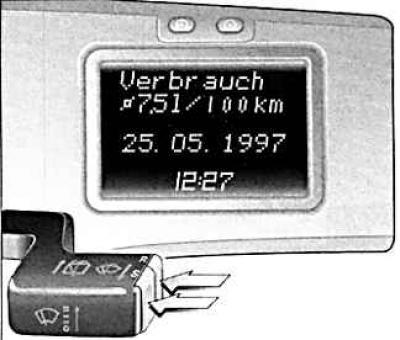
The calculation of average fuel consumption can be restarted at any time, for example after refuelling, by pressing the R key.
Display in l/100 km.
Total fuel consumption
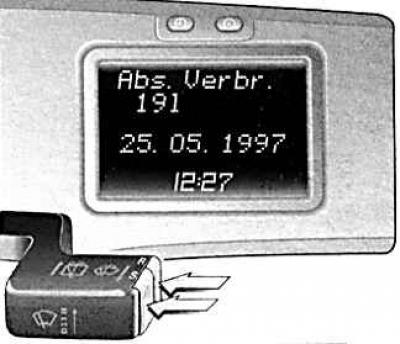
Display of the amount of fuel consumed. The measurement can be restarted at any time by pressing the R key.
Indication in liters.
Average speed of movement
(Article published on the website: opelbook.ru)
The calculation of the average speed can be restarted at any time, for example after starting to move, by pressing the R key.
Breaks in movement with the ignition turned off are not taken into account in the calculation.
Display in kilometers per hour.
The path taken
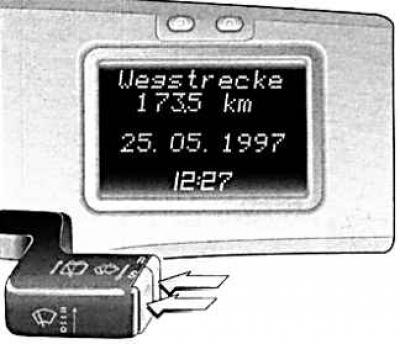
Display of the kilometres travelled. The measurement can be started by pressing the R key.
Indication in kilometers.
Power reserve over 50 km
The range is calculated based on the current reserve and average fuel consumption over the last 20–30 kilometers of the distance traveled.
After refueling, the new range value is displayed either by pressing the P key, or it is automatically set after a few kilometers of travel.
Indication in km.
Range less than 50 km
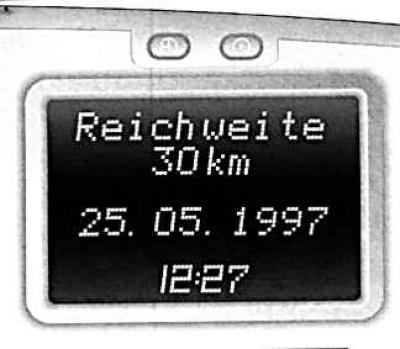
The indication switches to the function "Reichweite" ("Power reserve") without pressing the S button if the fuel supply in the tank is sufficient for less than 50 km. The indicator flashes.
By selecting another function, this warning function is switched off. Automatically switching to the function again "Reichweite" ("Power reserve") is performed after the trip is interrupted.
Indication in kilometers.
Stopwatch
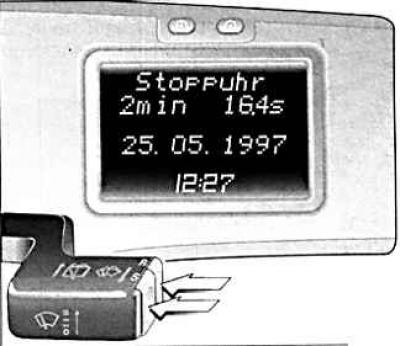
By pressing the R key, switching is performed between zero – start – stop – zero...
Determining the time spent on the road: turning off the ignition stops the stopwatch. When the ignition is turned on, the stopwatch continues to work.
Outside temperature
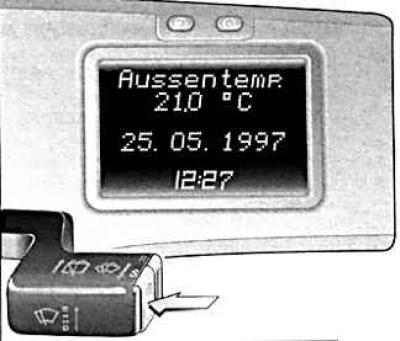
The decreasing temperature is displayed immediately, the increasing temperature is displayed with a delay. When the ignition is turned on, the display automatically switches to the function "AuBentemperatur" ("Outside temperature").
To warn of icy roads, the display automatically switches to the function at temperatures below 3°C "AuBentemperatur" ("Outside temperature") and flashes.
By selecting another function, this warning function is switched off. At temperatures below -5°C, the outside temperature display does not flash.
Indication in°C.
Visitor comments