


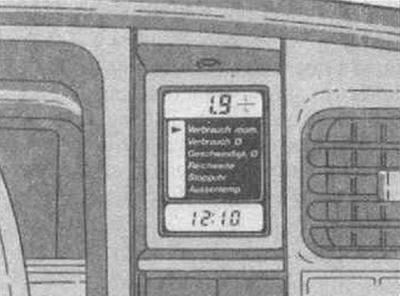
The Opel on-board computer provides the necessary information about the trip, engine operating mode, etc., which it continuously monitors and processes. By pressing the data change button, you can get the following information:
- instantaneous fuel consumption,
- average fuel consumption,
- average speed of movement,
- power reserve,
- stopwatch,
- outside air temperature,
- time of day and travel time.
Display indications:
- when ignition is off - time,
- with the ignition on - time,
- when you press the data change button - the selected data area.
The letter F (error) on the display indicates that the data is incorrect. The computer needs to be checked at a service station.
Data change button (front)
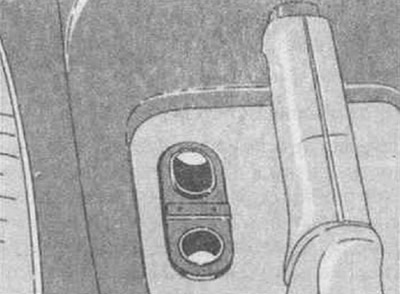
Press to select the desired data area.
Start button (rear)
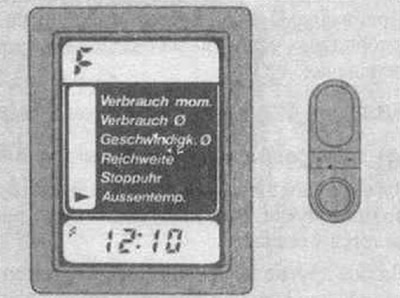
By clicking on it (not less than 2 seconds) the average fuel consumption and average speed counter is turned on. Previous information is automatically erased and the stopwatch is set to "0" (zero).
The following information is not reset:
- times of Day,
- instantaneous fuel consumption,
- power reserve,
- outside air temperature.
Time of day is not set:
When the voltage in the electrical network is disconnected or when it drops to 7 volts, all data is reset.
Original source is on the website: opelbook.ru
After such a voltage drop, followed by starting the engine using the battery of another car and returning to normal voltage, it will be necessary to reactivate the computer.
To do this, you need to disconnect the battery terminals from the engine for at least 2 minutes.
Time is set
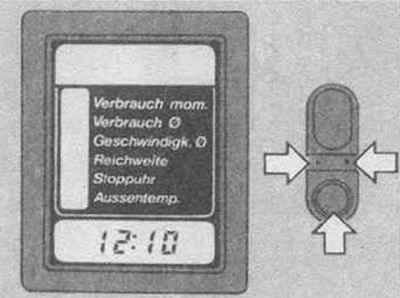
Left: hour adjustment button Right: minute adjustment button Using a ballpoint pen, press the adjustment button to set the corresponding time of day with a delay of 1 minute.
When the exact time signal sounds, press the start button.
The time of day is set in two options: 24 hours or 12 hours.
Instantaneous fuel consumption
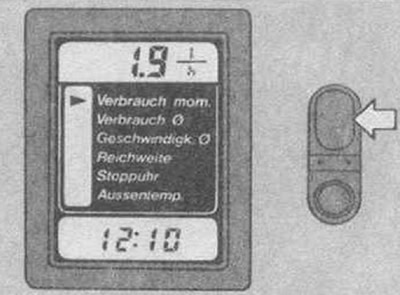
Readings vary depending on driving speed.
- Readings in l/h up to 13 km/h.
- Readings in l/100 km over 13 km/h.
- Readings 0 l/100 km with traction off.
Average fuel consumption
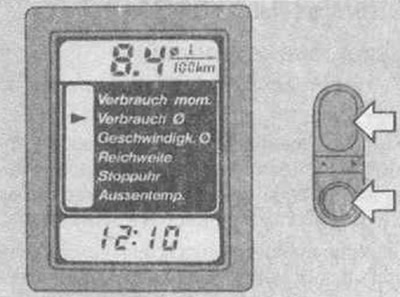
A new calculation of average fuel consumption can be started each time you refuel by pressing the start button.
Readings in 0 l/100 km
Average speed of movement
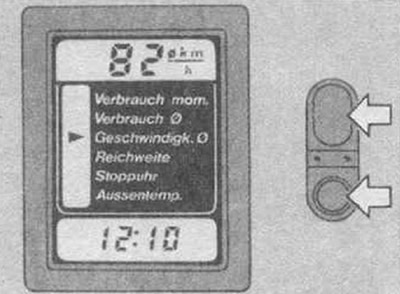
A new average speed reading can be started, for example, before each trip by pressing the start button.
The computer does not take into account breaks in movement, stops with the ignition turned off.
Readings at 0 km/h
Power reserve over 50 km
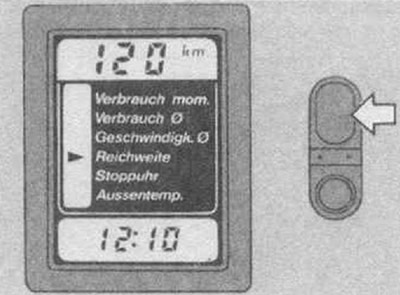
The range is calculated based on the actual remaining fuel in the tank and the average fuel consumption over the last 20-30 km of travel.
The new range readings start to count down after refuelling and pressing the start button, or they are automatically displayed on the display after the first approximately 10 km have been driven.
Readings in km
Power reserve up to 50 km
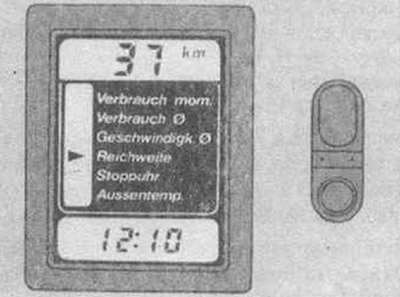
The range indications are displayed on the display automatically without pressing the data selection button if the fuel in the tank is less than 50 km away. They will flash.
They are switched off by selecting and installing the next data area. The power reserve indicators will be automatically switched on again after each stop of the car when the movement is resumed.
Readings in km
Stopwatch
Zero - start - stop - zero...
By pressing the start button
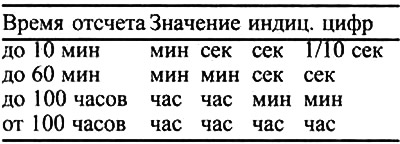
The stopwatch counts the time independently of the average fuel consumption data, average speed of movement and in turn does not affect them.
Outside air temperature
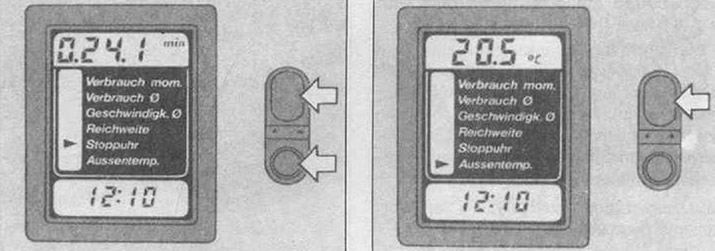
Real data on the outside temperature comes from a sensor blown by air during movement. Temperature decrease indicators are indicated immediately. Information on its increase - with a slight delay in order to exclude, if possible, the side effect of thermal radiation of the engine on real readings.
Readings in°C
Visitor comments