


Contents: General information ⬇ Automatic system operation mode…⬇ Activating/deactivating the system…⬇ Manual selection of air flow…⬇ Temperature control ⬇ Air circulation mode ⬇ Setting up the system via the…⬇
General information
The design of the HVAC control panel with automatic temperature control is shown in Illustration 18.3b. The left rotary control is used to select the average temperature maintained in the vehicle interior, the central rotary control is used to control the system via the information display menu, and the right rotary control allows the air flow intensity to be set in manual system control mode.
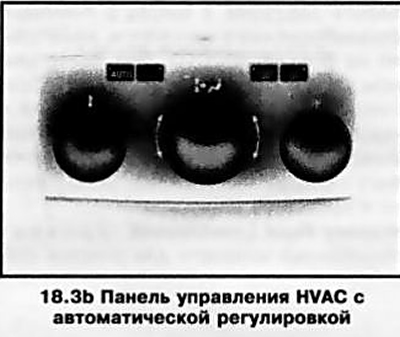
The AUTO mode is the basic one. This mode can be used all year round, regardless of seasonal temperature changes - the system independently regulates the intensity and direction of air supply, as well as the air flow temperature based on the user-set temperature settings, the air temperature inside the cabin and the outside atmospheric conditions. The system provides automatic compensation for changes in temperature inside the cabin under external influence, for example, sunlight.
Note: The climate control functions are fully available only when the engine is running.
The current operating mode of the system is indicated in the lower part of the information display in the central field (between the outside temperature and the chronometer readings) (see illustration 18.4).
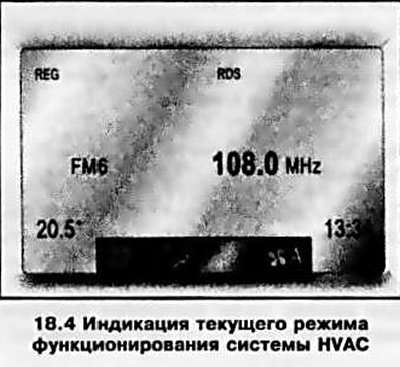
Note: The image may differ depending on the display model.
When you lock the car using the remote control, the climate control settings are saved in the memory of the remote control (see Section 8).
The selection of system operating parameters is possible in manual mode by means of control via the information display menu (see below).
Automatic system operation mode (climate control)
To activate the system in automatic mode, press the "AUTO" button located on the left side of the control panel, fully open the nozzles of the rotary deflectors (see above), activate the air conditioner via the corresponding menu of the information display (see below) and set the left rotary control to the average temperature that should be maintained in the cabin (see below).
If there is no need for cooling and drying the air, the air conditioner can be left off - the display will show the inscription "Eco". This automatic HVAC operation mode allows you to reduce fuel consumption, but the level of comfort in the cabin may decrease.
Note: It is not recommended to use this mode when the car windows are fogged up. In addition, when the outside temperature rises, the system may malfunction.
The system is deactivated by pressing the AUTO button again.
Activating/deactivating the system and adjusting the air flow intensity manually
To activate the system, turn the right rotary control (see illustration 18.5). select fan speed mode (positions 1 to 4). When you turn the knob, the selected air flow intensity mode is indicated in the corresponding display field.
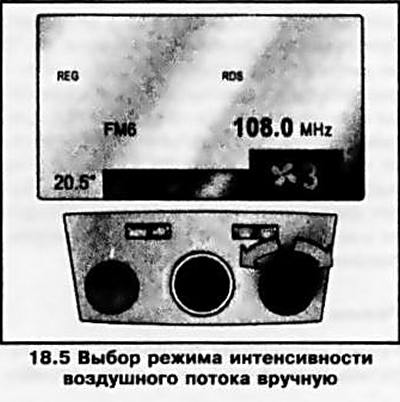
When the control position O is selected, the system will be deactivated.
To return to automatic mode, press the "AUTO" button - the air flow intensity will be selected automatically.
Manual selection of air flow direction
The direction of air flow can be set by the user by turning the central regulator (see illustration 18.3b) — the display field alternately displays icons corresponding to the selected mode. The meanings of the icons are given in the description of HVAC with manual adjustment (see above).
To return to automatic mode, press the "AUTO" button.
Temperature control
Left rotary control (see illustration 18.3b) the temperature mode selection sets the average temperature that should be maintained in the passenger compartment. When you turn the knob, the set temperature value appears in the corresponding display field. The temperature value can be set between 16°C and 28°C. Under normal conditions, it is recommended to set the knob to 22°C. In automatic mode, when the average temperature value changes within the specified limits, the temperature in the passenger compartment will change gradually.
Note: On models with the Ouickheat system, an additional electric heater is installed to warm up the interior more quickly.
To quickly change the temperature, move the rotary control beyond the specified values. When setting the temperature below 16°C, the display will show "Lo" - the system will operate in maximum cooling mode without temperature control. When setting the temperature above 28°C, the display will show "Hi" - the system will operate in maximum heating mode without temperature control.
Air circulation mode
The circulation mode prevents exhaust gases, unpleasant odors, dust, and plant pollen, which causes allergic reactions, from entering the passenger compartment.
Attention: As soon as the need for interior insulation no longer exists, the supply of fresh air must be resumed!
The air circulation mode is activated using the switch button on the control panel - the control LED built into the button should light up.
Note: Long-term use of the circulation mode leads to fogging of the windows and increased air tightness, so it is recommended to activate this mode only when really necessary and for a relatively short time.
Pressing the switch button again restores the air supply.
When equipped accordingly, the automatic air circulation control system registers the presence of harmful impurities in the air coming through the air intake using a special sensor and automatically switches to the circulation mode. When the concentration of harmful impurities in the outside air decreases to acceptable limits, the system automatically switches off the circulation mode.
Note: When the outside temperature is low and the air conditioner is off, the automatic air circulation function is blocked - this prevents the windows from fogging up. If necessary, turn on the air circulation mode manually.
Activation/deactivation of the automatic air circulation function is carried out via the information display menu (see below).
Setting up the system via the display menu
If necessary, the HVAC system parameters can be set manually via the information display menu.
To call up the system setup menu, press the central rotary control (see illustration 18.6) — the corresponding menu will be displayed on the screen. Individual menu items are selected by turning the central knob, and the selection is confirmed by pressing it. When confirming the selection of some items, the menu for that item appears — the selection of parameters in it is carried out in a similar way.
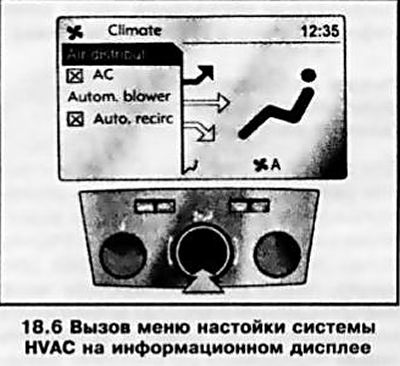
To close the menu, use the central controller to select Return or Main and confirm your choice. Manually performed settings remain stored in the system memory after the ignition is turned off.
The functions that can be configured via the display menu are described below.
Original posted on the website www.opelbook.ru
Visitor comments